Become a Vendor
Join the Peregrine Logistics vendor program. Sell through our app—we handle delivery. Everything you need to know to get started.
Register as VendorOverview
What is a Vendor?
A vendor on Peregrine Logistics is a business (restaurant, grocery, pharmacy, retail, or other) that sells products through the Peregrine mobile app. Vendors receive orders from customers, fulfill them, and earn revenue while Peregrine handles delivery through its network of verified delivery agents.
- Vendors manage their business through a dedicated web-based vendor portal
- Orders are fulfilled at your location; Peregrine's delivery agents handle last-mile delivery
Geographic Scope
Current: Enugu State, Nigeria
Cities: Enugu, Nsukka, Awgu, Oji River, Udi, Ezeagu, Igbo-Etiti, Isi-Uzo, Nkanu East, Nkanu West
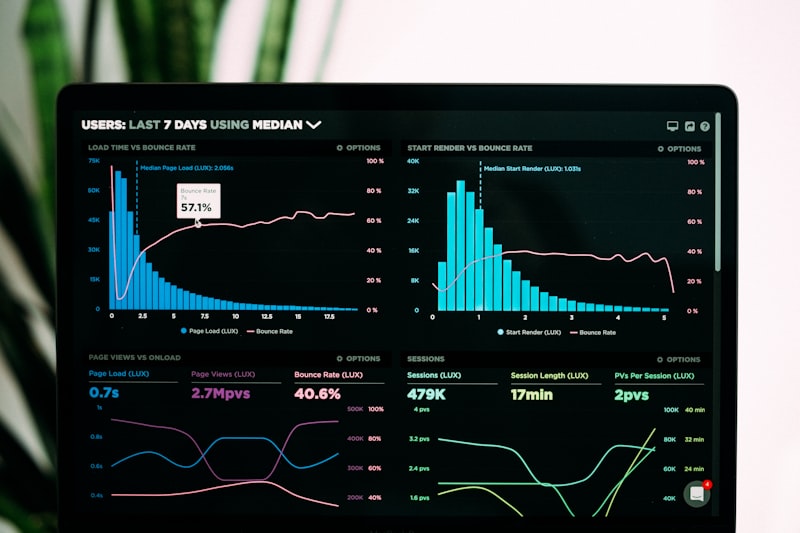
Your vendor dashboard at a glance
Restaurant
Food establishments
Grocery
Food & household items
Pharmacy
Health & wellness
Retail
General merchandise
Other
As supported
Steps to Sign Up

Complete the registration form with your business details
Register at https://app.peregrinelog.ng/vendor/register. Register at the vendor portal. The flow includes document upload and profile photo.
Business info
Name, email, phone, business type
Location
State, city, address (Google Places autocomplete)
Business details
Cuisine type, description, delivery radius
Profile photo
Landscape only, 800×600px recommended
Documents
At least 1 (license, tax cert, etc.)
Password
Min 8 characters
Important: Profile photo must be landscape (width > height). Portrait or square images will be rejected.
Vendor Features
Dashboard
Order statistics, product stats, earnings overview, recent orders, analytics (monthly trends, peak hours, repeat customers), popular products, category distribution.
Dashboard

Product Management
Product Management
Add/edit products, variants, add-ons, meal time tags (breakfast/lunch/dinner), featured products, menu reorder, product reports, multiple images.
Order Management
View all orders, filter by status/date, update status through the flow: pending → confirmed → preparing → ready_for_pickup → picked_up → out_for_delivery → delivered. Print order slips.
Order Management

Bank & Withdrawals
Bank & Withdrawals
Add Nigerian bank accounts (Paystack verification). Request withdrawals (min ₦1,000) to verified bank. Track earnings with transparent breakdown: Gross − Commission − Delivery fee = Net.
Reports & Analytics
Product reports, order analytics, monthly trends, top products, peak hours. Admin messaging and notification settings.
Reports & Analytics
Advantages of Being a Vendor
Access to Customers
Mobile app visibility, featured/trending listings, category discovery, search.
Delivery Infrastructure
Built-in delivery, no fleet needed, real-time tracking for customers.
Payment & Payouts
Cash on Delivery, card (Paystack), wallet. Secure payouts, transparent earnings.
Commission
Default 0% commission. Net = Gross − Platform commission − Delivery fee.
Post-Approval Workflow
- 1 Email notification — activation email
- 2 Login at app.peregrinelog.ng/vendor/login
- 3 Complete profile (address, hours)
- 4 Add bank account (required before withdrawals)
- 5 Add products
- 6 Start receiving orders
Order flow: pending → confirmed → preparing → ready_for_pickup → picked_up → out_for_delivery → delivered. Earnings appear after delivery; request withdrawal (min ₦1,000) to verified bank.
Customer Reviews & Ratings
Customers rate vendors (1–5 stars) after delivered orders. One review per order. Vendor rating = average of all reviews; displayed publicly. Builds trust and improves visibility.
Technical Reference
Vendor portal: /vendor/login, /vendor/register, /vendor/dashboard, /vendor/products, /vendor/orders, /vendor/profile, /vendor/bank-accounts, /vendor/withdrawals. Business types: restaurant, grocery, pharmacy, retail, other. API: POST /api/vendor-register (Bearer token).
FAQ & Troubleshooting
Quick Checklist
Ready to Join?
Register as a vendor and start selling through Peregrine today.
Register as VendorFor support: +234 907 331 5505 | Plot 32 Goshen Estate RD, New Artisanal, Enugu State, Nigeria